

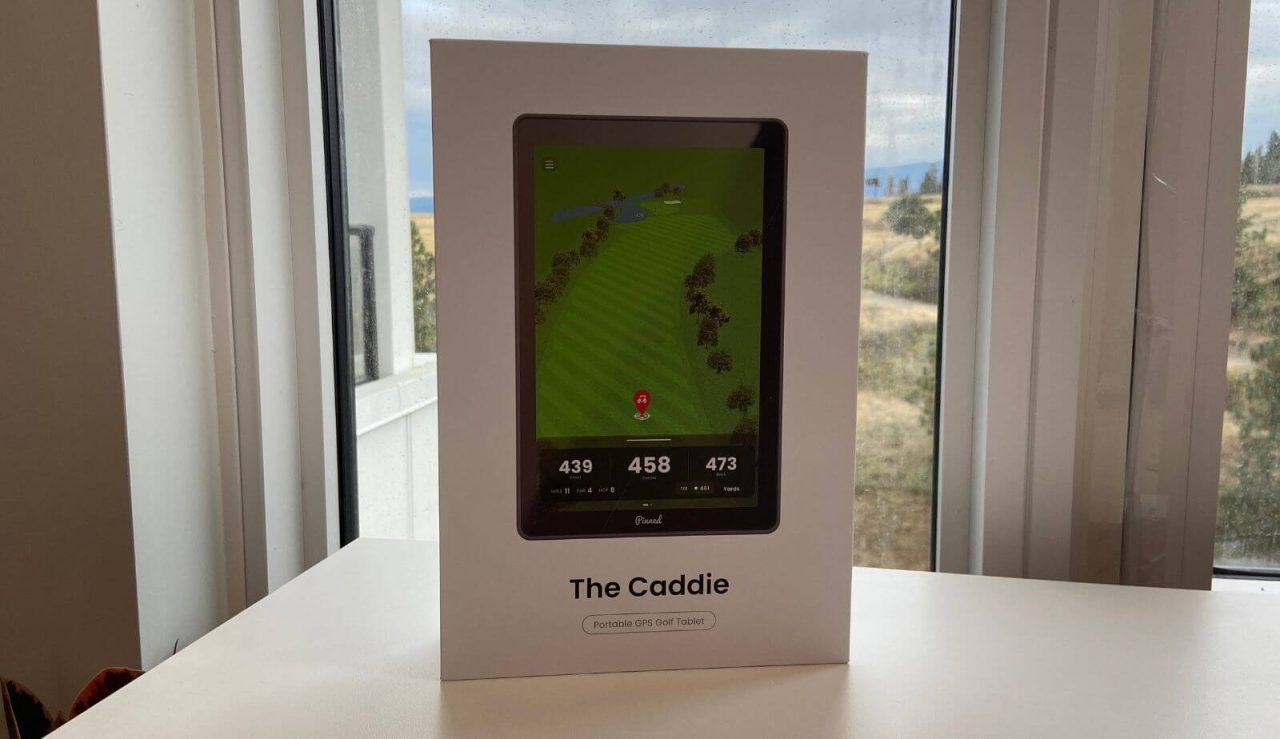
In this review, I’m going to be sharing my honest thoughts after using the Pinned Caddie for 5-6 rounds of golf. I’ll also be comparing it to other GPS/phone apps I’ve used to help you decide if this is the right product for you.
I’m going to be pointing out what I liked about it, what needs to be improved, and whether I’d even recommend it. I wasn’t paid to write a positive review so everything is my own personal opinion.
I’m going to keep using the Caddie to fully test it over time. I’ll keep this article updated and will add any positive or negative things I’ve experienced. They’ve made improvements since the initial release so hopefully they continue doing that. Let’s dive in.
THE BOTTOM LINE
I enjoyed using the Pinned Caddie, but that said, I wouldn’t recommend it for most people. The majority of golfers would be better off with a free golf app or one of the other GPS units on the market. If you have poor eyesight or use a power cart without a built-in GPS, the Caddie might be worth considering.
The Pros
- It’s the biggest screen on the market
- You can play games like stableford, nassau, and wolf
- The numbers are as accurate as Garmin and Shot Scope
The Cons
- The price is steep
- Subscription required for full data
- The graphics aren’t great
Pinned Caddie Tablet
Get 10% off your first PlayBetter order
See Amazon PriceSee PlayBetter PriceWe earn a commission if you click this link and make a purchase, at no additional cost to you. This does not impact our review.
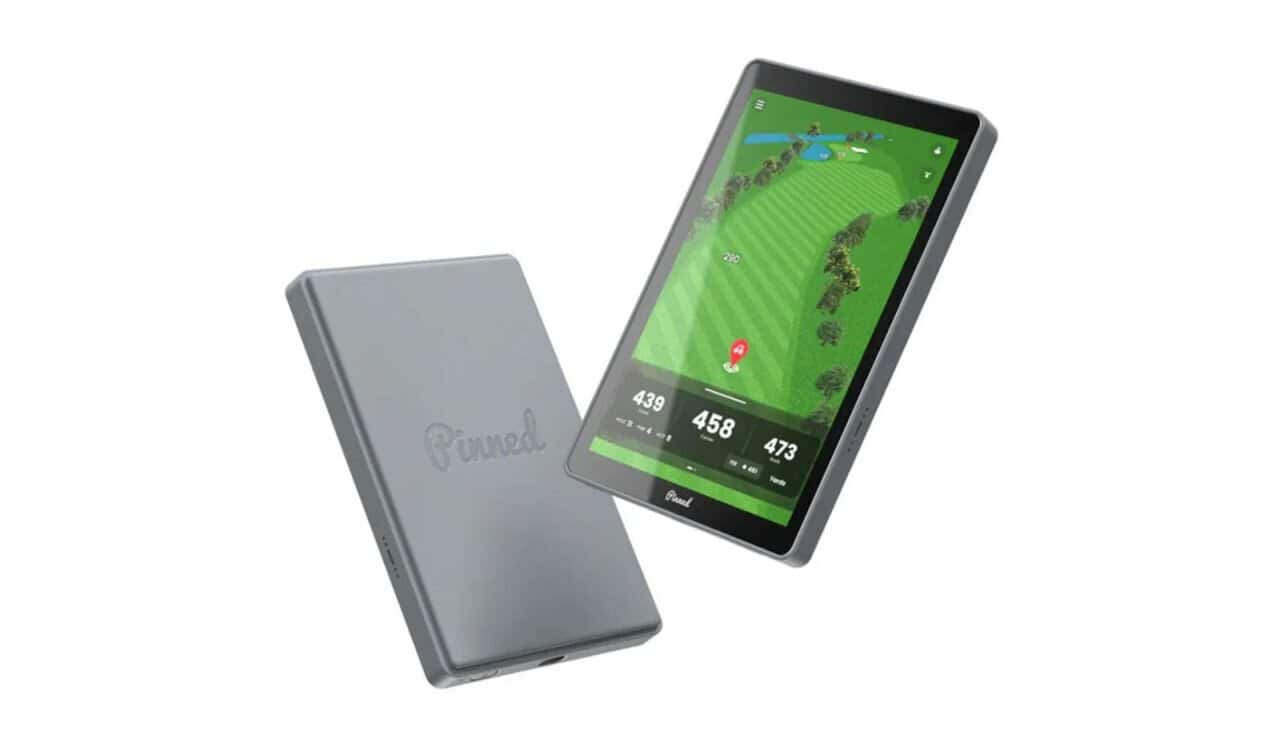
My First Impressions
I’m a big believer that having some sort of yardage finder is super important on the course, whether it’s a rangefinder, GPS, or phone app.
I also think that knowing the distance to the front, middle, and back of the green is more important than the distance to the pin, especially for average golfers.
If that’s the case, some sort of golf GPS is probably the way to go.
The problem with GPS watches is that the screen is small and some people don’t like to wear them. The problem with phone apps is that you need cellular data and some people don’t want to be on their phone while they’re playing (myself included).
The solution to this could be a handheld GPS.
With products like the Caddie, you get a bigger screen to fully see the course (detailed hole maps). You also don’t need phone data to use it.
I’ve used both the Prism+ rangefinder and Sound Stick Pro from Pinned, which were both pretty solid, so I was excited to give the Caddie a try.
In the box you’ll find:
- The Caddie tablet
- Storage case
- USB-C charging cable
- Instructions
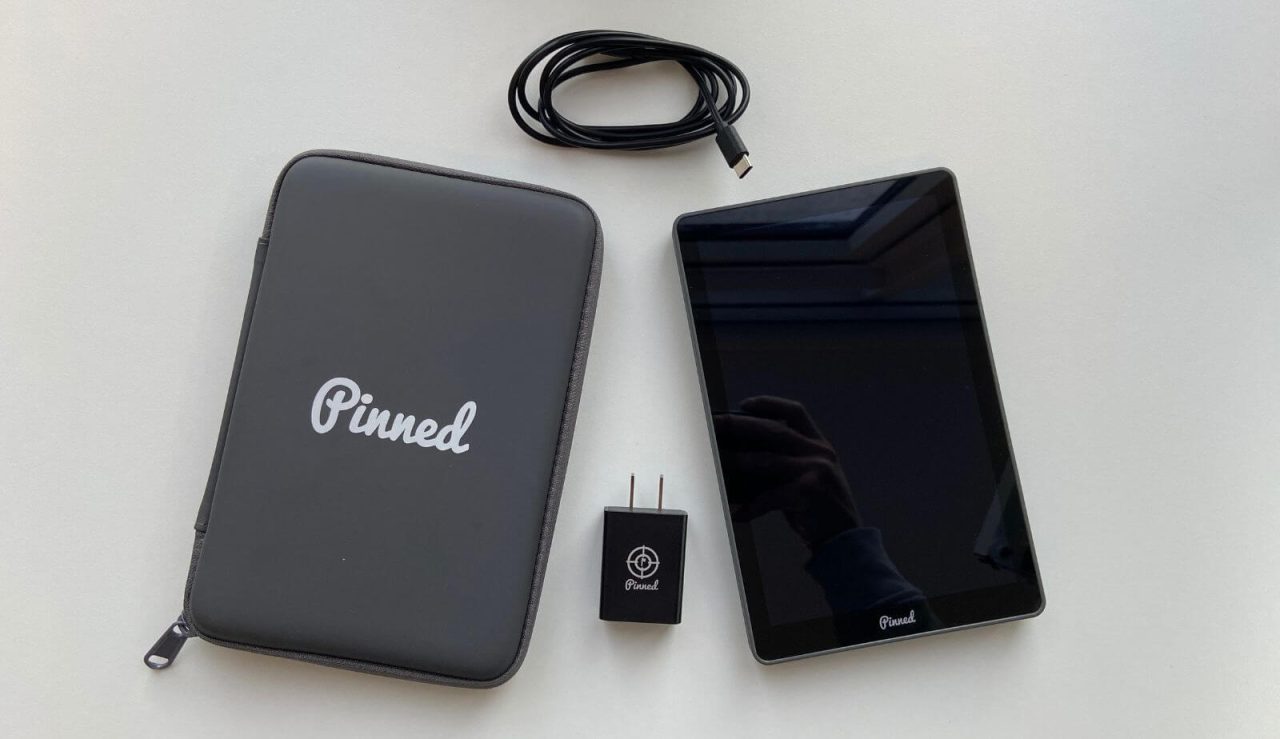
Taking the Caddie out of the box, the storage case is pretty nice. The tablet itself feels solid as well. The hard-shelled case is attached (can’t be taken off), which also has a magnet built-in.
It’s noticebly bigger (and heavier) than any other golf GPS I’ve used. The main downside to its size is that it won’t fit in your pocket, but if you have trouble seeing your phone/watch, this would be great.
Anyways, the main thing that matters is how well it works on the course. Let’s dive into getting the Caddie set up and talk about how it performs.
Setting Up The Caddie Tablet
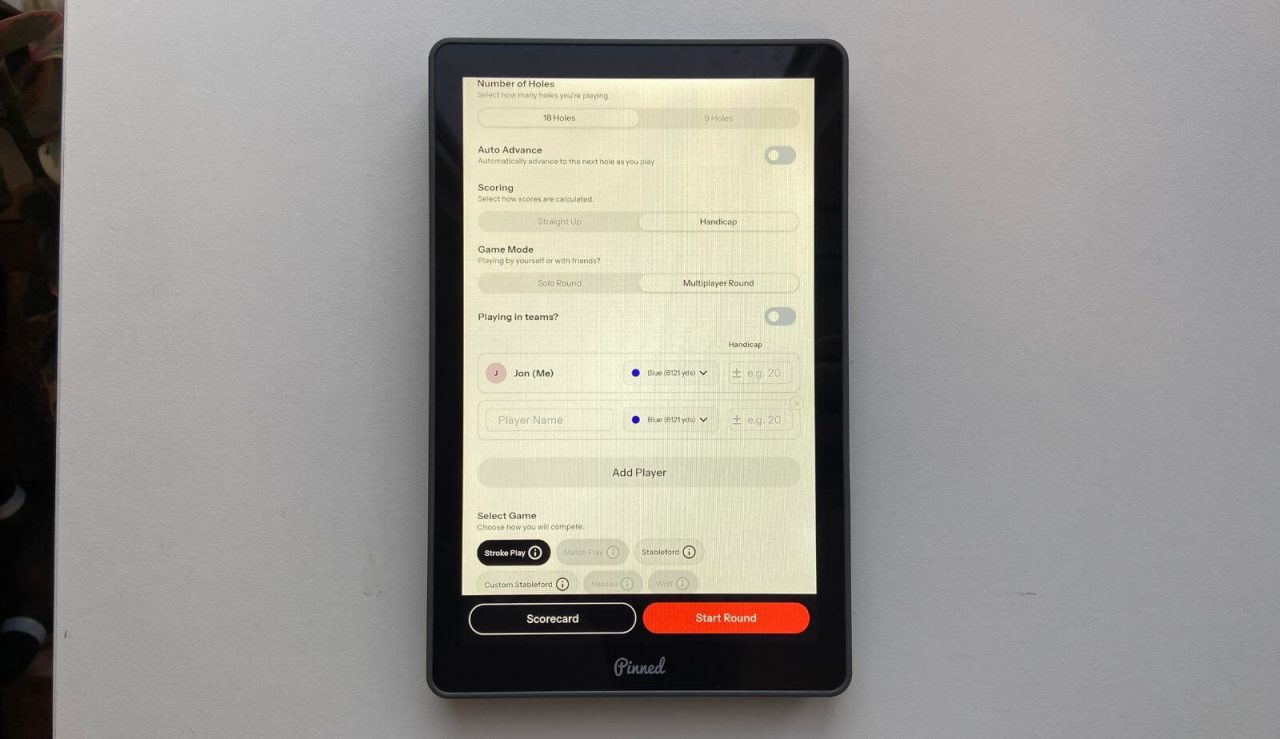
Setting up the Caddie really couldn’t be easier. After you turn it on you’ll have to connect to Wi-fi. It’ll then check for any updates to be made. If there are, simply press Update.
You’ll then have to create an account. After that, you’ll see 3 options:
- Home: This is where you’ll find your recent rounds and a list of your courses
- Play: This is where you go when you want to start a new round
- Profile: This is where you’ll find your performance stats from previous rounds
When you’re ready to play, you’ll be able to pick:
- How many holes you’re playing
- Straight up or handicap scoring
- Solo round or multiplayer (you can track multiple scorecards)
- Type of game (stroke, match, stableford, nassau, wolf)
- Starting hole
Note: You’ll need to be connected to Wi-Fi to download the course maps before you play.
Features & Performance
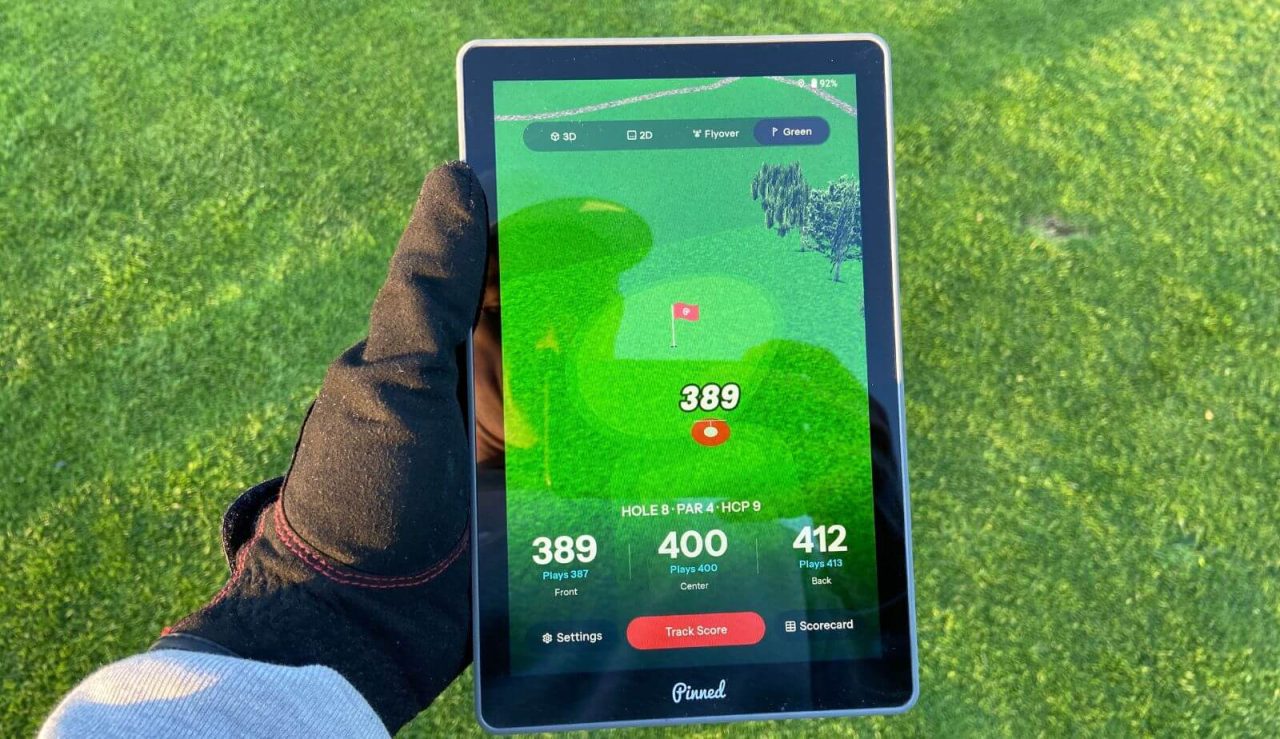
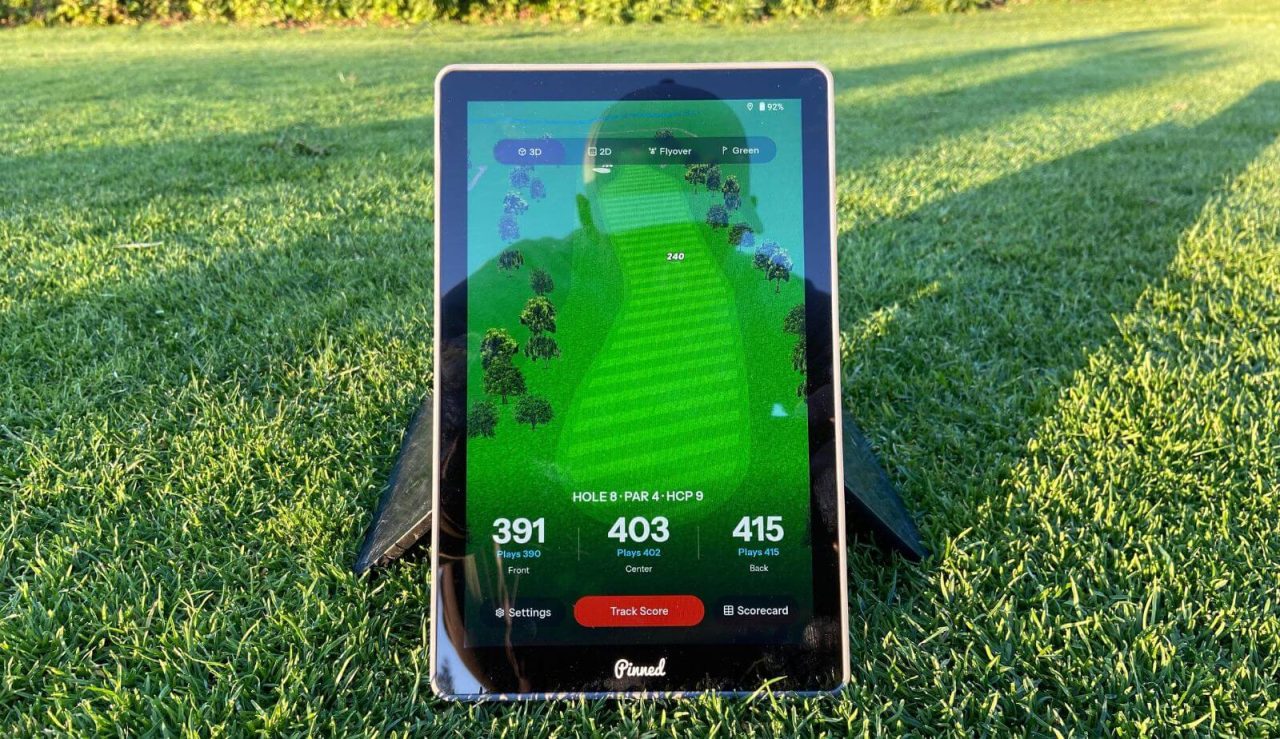
Let’s start with one of the most important things, the screen. The first thing you’ll notice is the size. If you’ve used a phone app or watch (or even another handheld), this thing will feel huge.
In saying that, it’s incredibly easy to see the yardages and details on the course. In sunlight, you’ll get some glare on the screen, but I never had issues reading the numbers.
What I’m a little dissappointed in is the quality of the graphics, which are a bit cartoonish. Phone apps give you a real satellite view of the hole, so the Caddie is a bit underwhelming.
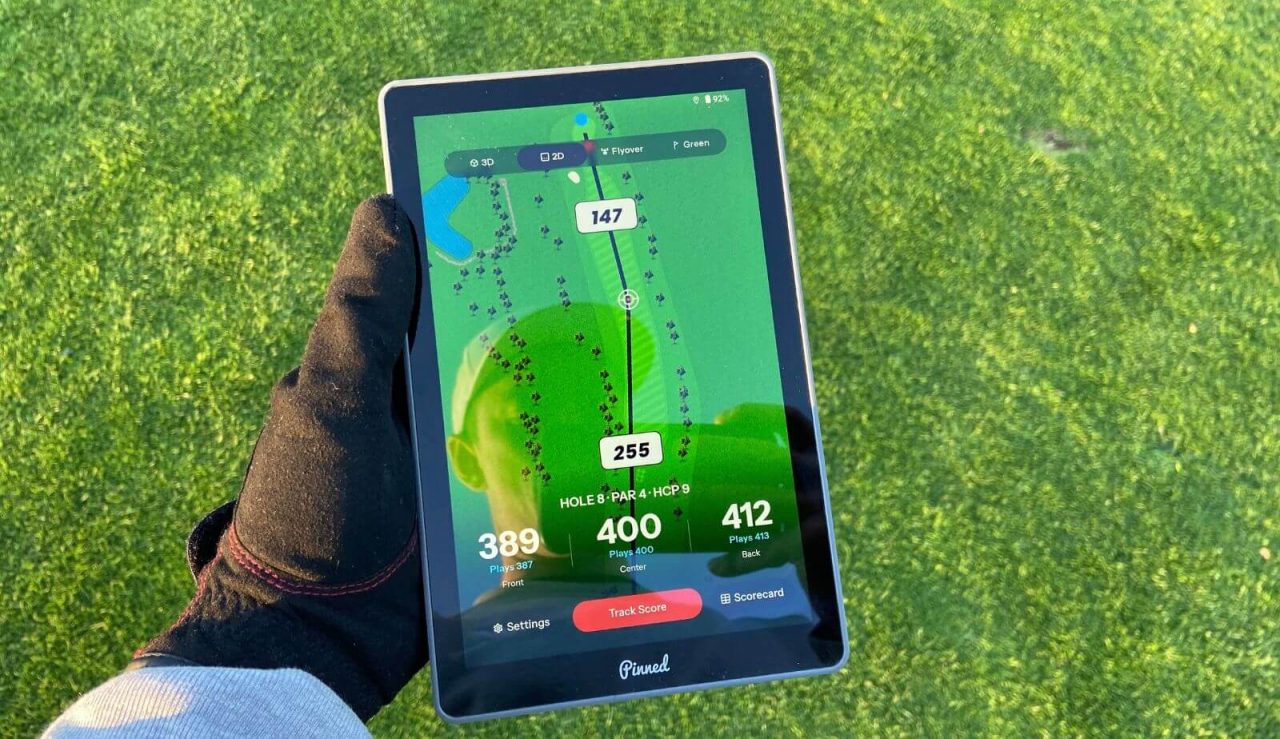
I will say that it’s still better than some of the other handhelds on the market. They all have similar graphics, but the Caddie is at least bigger, which makes it a bit easier to get precise distances.
The final thing about the screen is the responsiveness. While it’s no iPhone, it’s still decently quick. The home screen, setting up the round, and inputing scores are pretty solid.
So is touching a specific part of the course. The only thing I noticed was that if you tried dragging the pointer around, it did start to lag a bit. I don’t find it to be a huge deal though.
Now, let’s talk features. The most important is it’ll give the distance to the front, middle, and back the green. You can also touch any part of the course and it’ll give you the distance to it and the distance you’ll have into the green.
If you want the plays like distance (takes into account elevation) or green heat maps (shows slope on greens), you’ll have to pay for the premium membership. As of now, you get 12 months included, but after that it’s around $50/year.
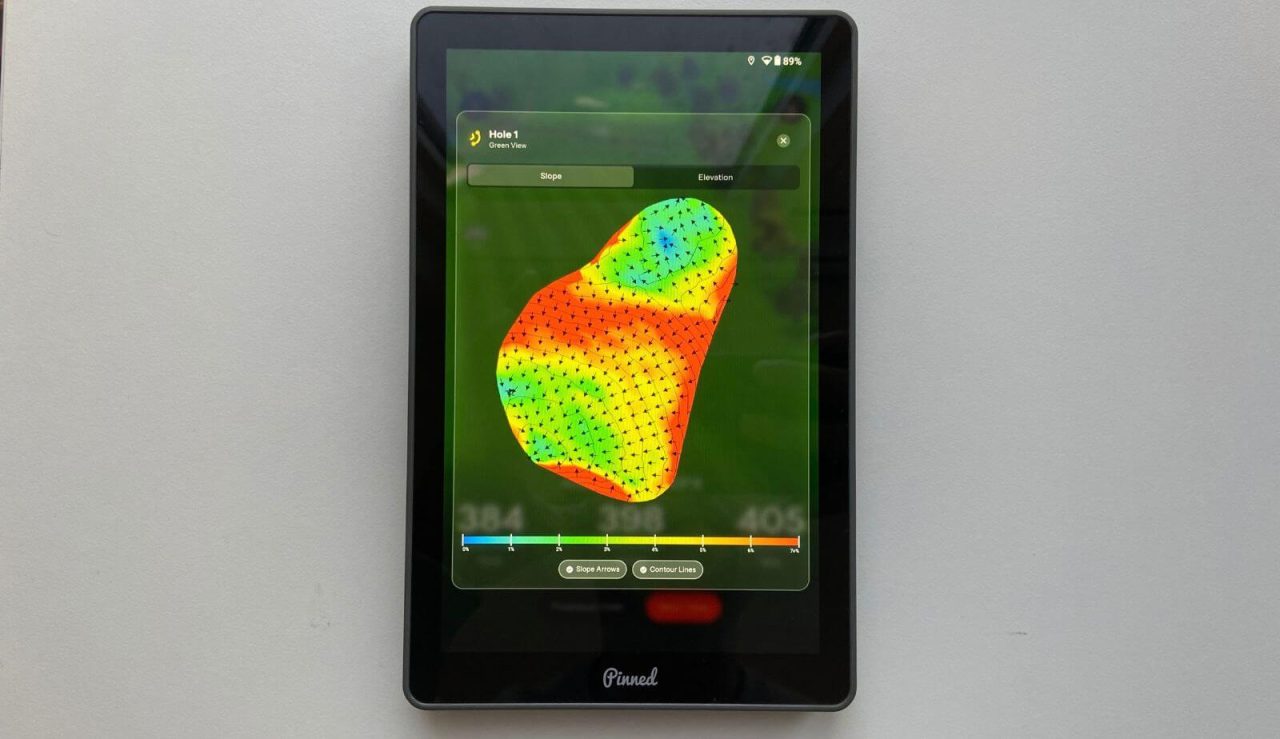
I really don’t like subscriptions, especially if you’re paying $400 on something. Plus, Shot Scope gives this for free with their cheaper H50.
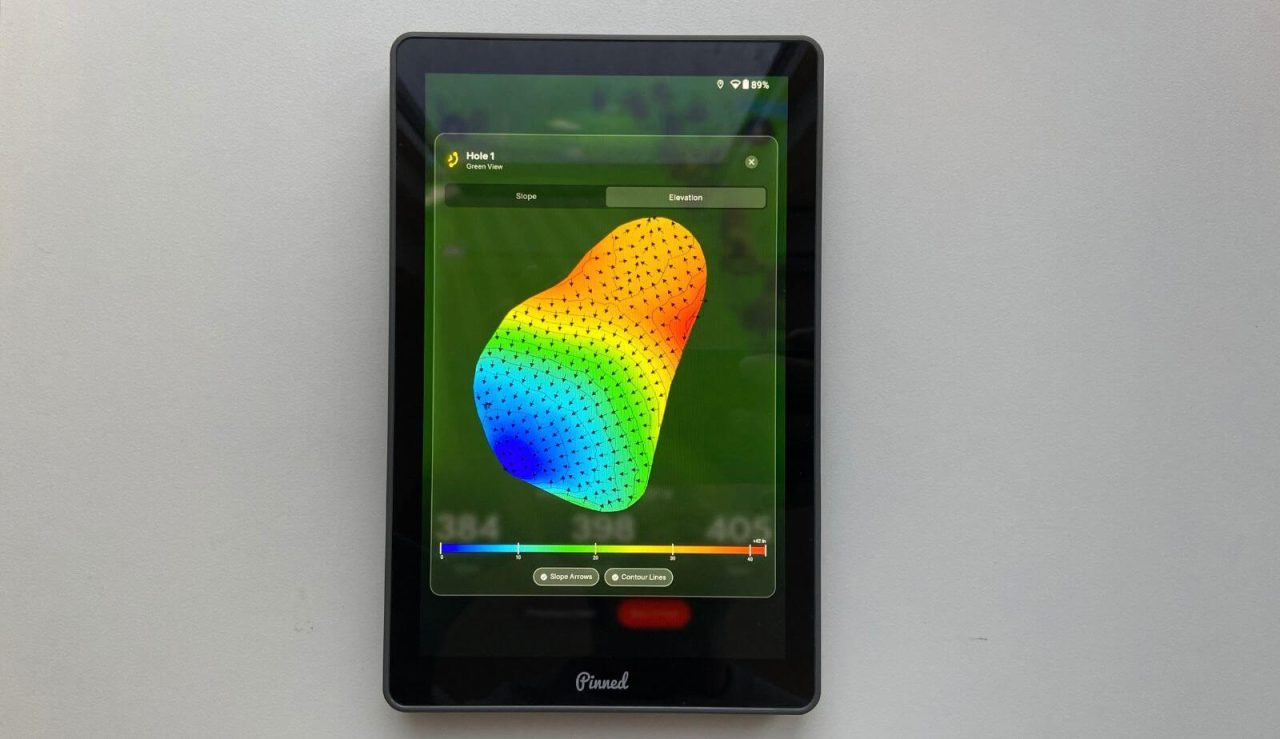
On top of that, none of the courses in my area had the greens mapped so this makes no sense for me. If you want the green heat maps, I’d recommend checking if they have them on your course.
One of the things I do like is the scorecard feature. You can track multiple scorecards at once, you can play based on handicap, and you can play different games.
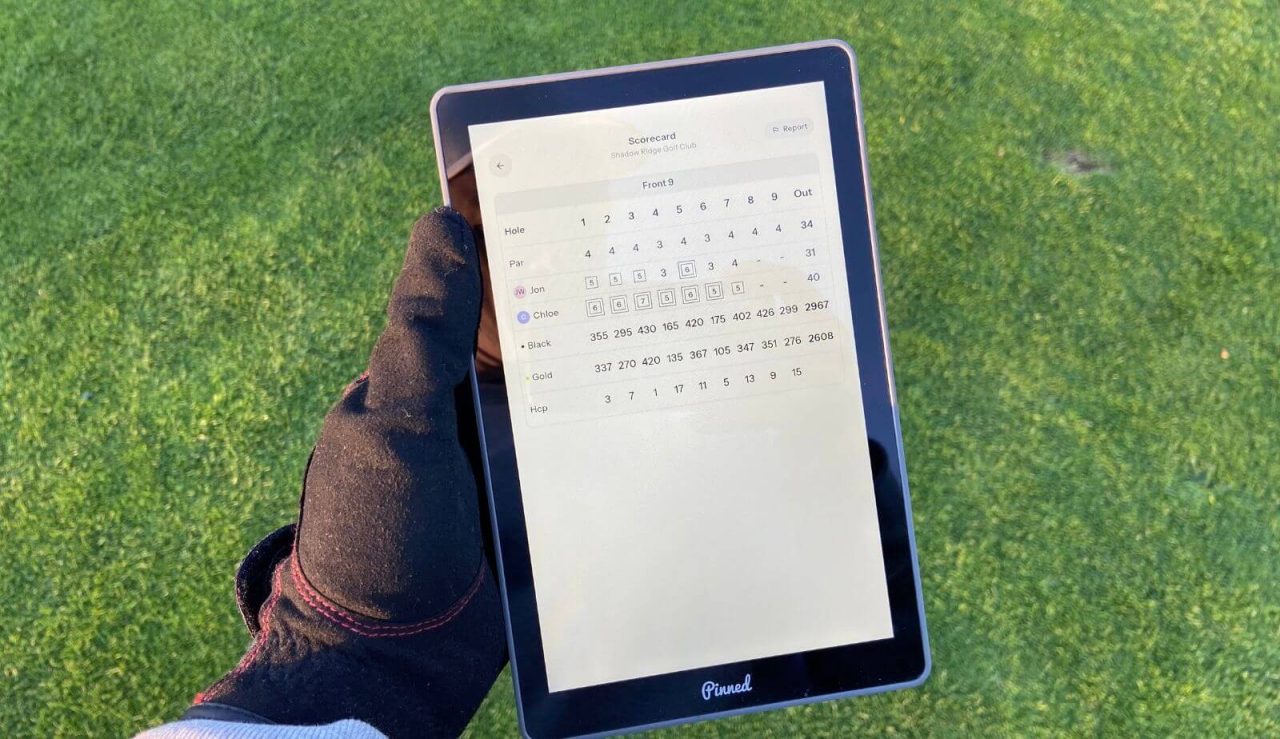
A lot of handhelds don’t have games included (match, wolf, stableford), so this is one of the things I’m a big fan of.
You also have the app that’ll record all of your scores and show you some data. Things like number of rounds, lowest score, average score, and how many birdies/pars/bogeys you’ve had.
Another important thing was how accurate the Caddie was. Nothing else matters, if the numbers aren’t accurate, what’s the point in getting it?
What I’ll say is that no GPS unit will ever be as accurate as a laser rangefinder. At times they will be, but more often than not, they’ll be within 5 yards (+/-). This was the case with the Caddie when I compared it to my rangefinders and course markers.
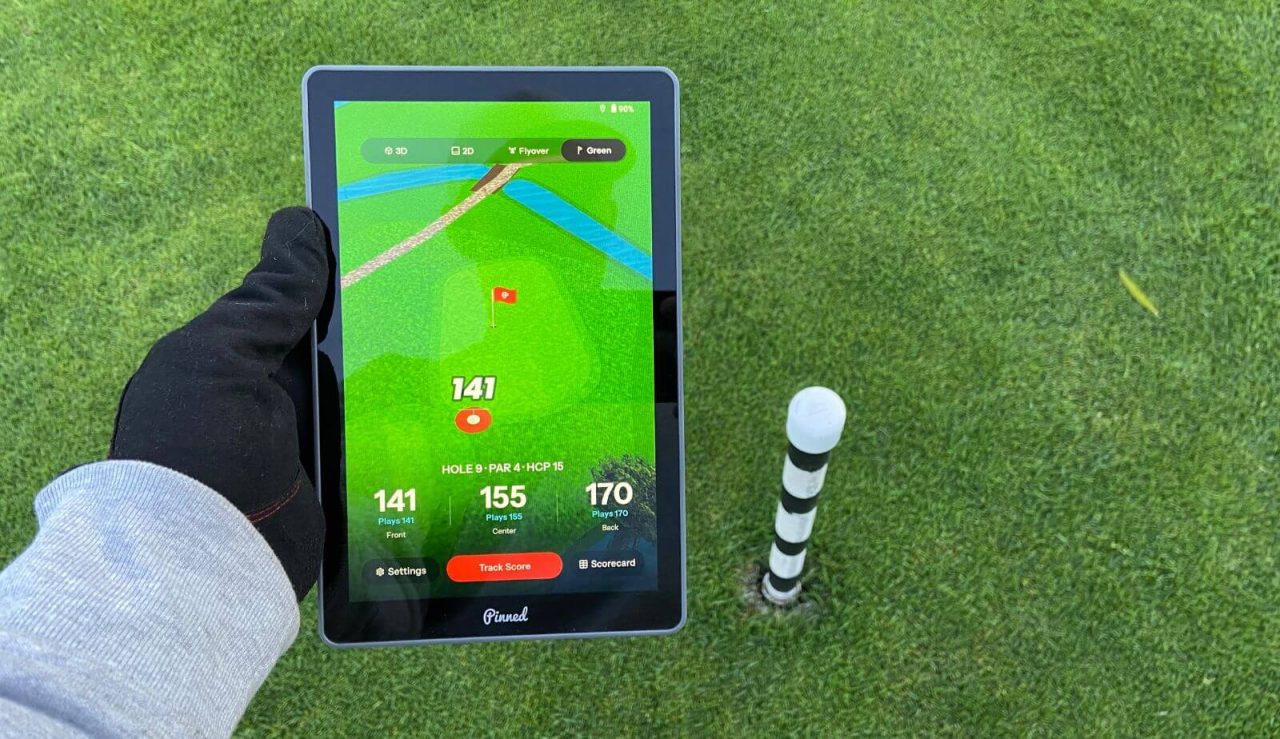
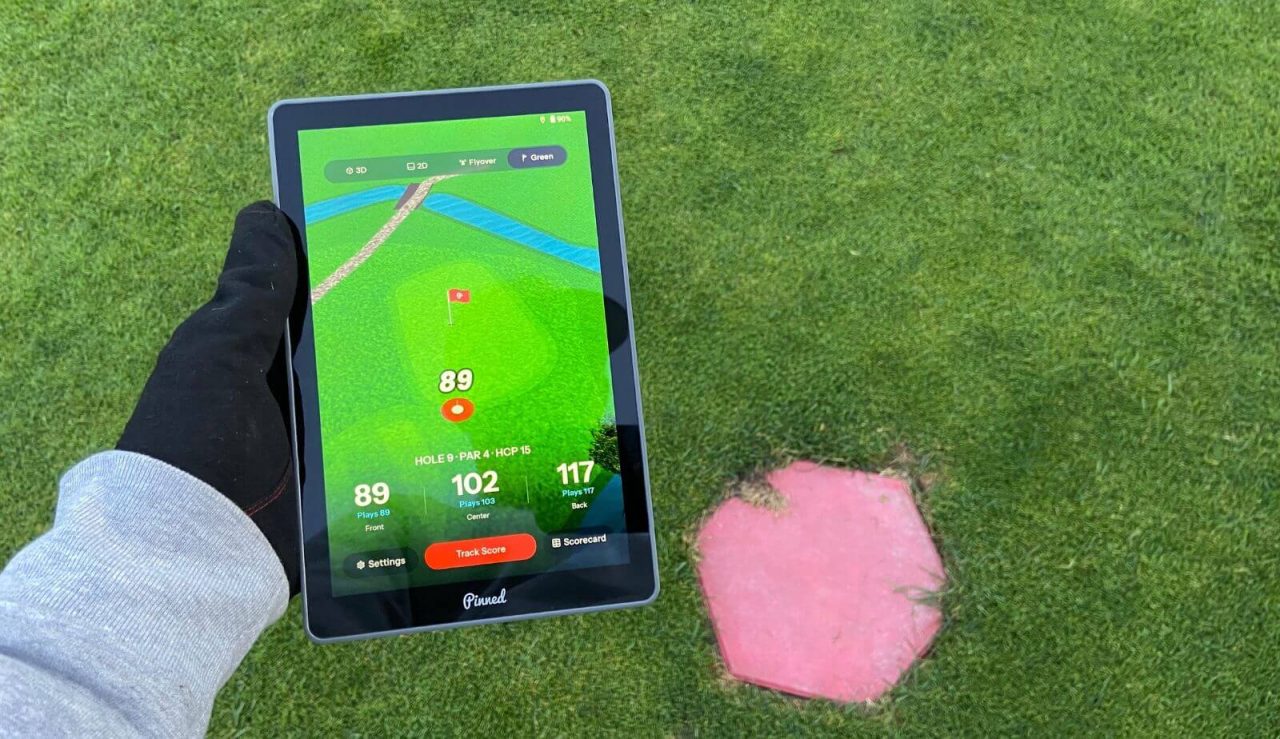
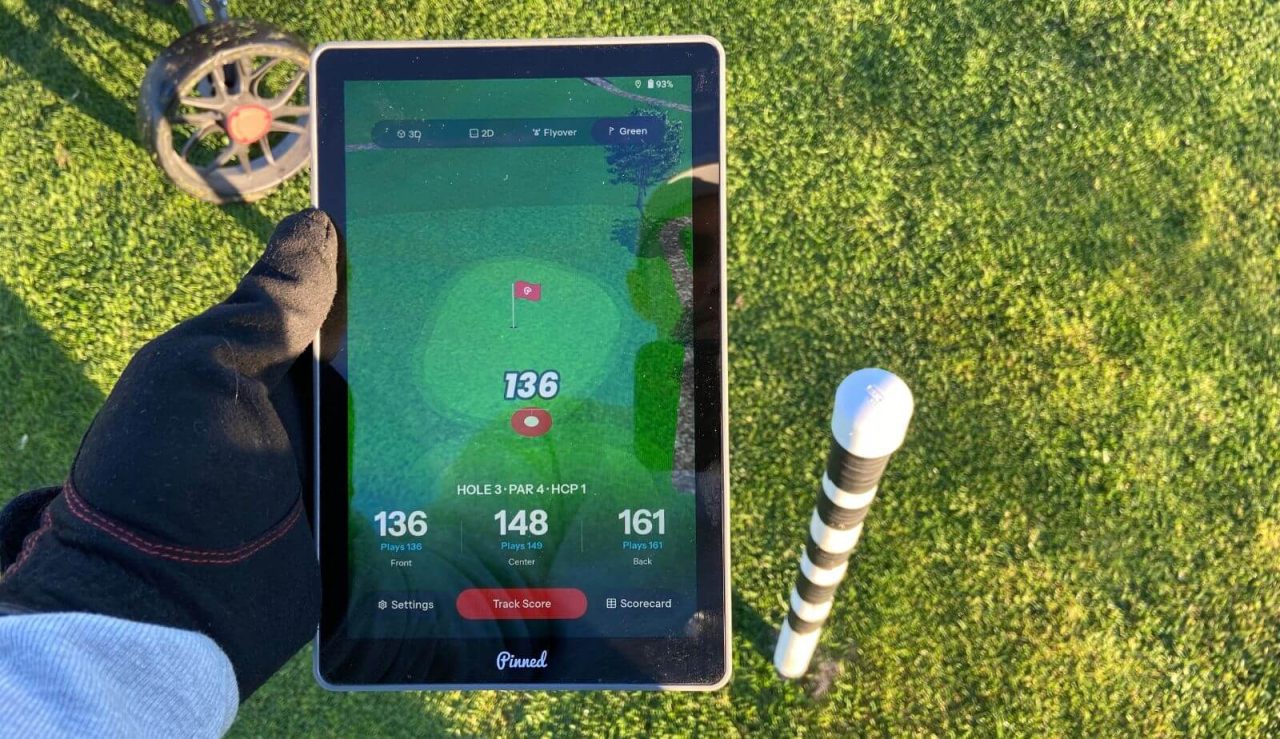
I also did compare the numbers on the Caddie to some of my Garmin and Shot Scope devices. Overall, I find the Caddie to be just as accurate as the other two (they are always within 6 yards of each other).
For the battery, the Caddie still had 78% battery left after a 4 hour round. I had it on medium brightness and the screen was on the entire time. That’s pretty solid.
Should You Get A Pinned Caddie?
Having used the Caddie for a while and comparing it to other similar devices, I think it’s only worth it for a very specific type of person.
If you have trouble seeing a smaller screen or you ride in a cart that doesn’t have a built-in GPS, the Caddie is worth considering. It’s essentially a cart GPS that can be removed.
In all other cases, I’d probably recommend something else.
The main reason is that I think it’s too expensive for what it is. You can use a free golf app that gives the same info, plus better graphics. You can also get cheaper handhelds that give the same info (see our favorite GPS units).
I’m not saying it’s a bad product because it’s not. A lot of the negative reviews out there were from when it was first released. It did have problems back then, but recent software updates have made improvements. It still needs work, so hopefully Pinned will continue making it better.
In summary, here is a quick breakdown of the pros and cons.
What I Like
I like that the screen is big and easy to read. It’s way easier to see than an app on your phone/watch and even some of the other hanheld units. I think it’s too big to use if you’re walking though.
I like that it has different games you can play and that it automatically calculates everything. It made playing in groups more fun because everyone could see the results in real-time.
I like that you don’t need cellular data to use it. If you’re using your phone/watch, you’ll need pretty decent cell data to get the GPS to work. The Caddie will work everywhere.
I like that I don’t have to look at my phone on the course. I want to focus on golf when I’m at the course. I don’t want notifications, I don’t want phone calls, I don’t want distractions. You won’t get that with the Caddie.
What I Don’t Like
I don’t like the price, especially when you can use a free app on your phone that does the same thing. I know the bigger screen is nice, but you can also get cheaper handheld units.
I don’t like subscriptions, especially when the unit itself costs hundreds of dollars. This (hopefully) is used to make the product better, but I just think it’s a bit too much.
I don’t like the graphics. Free phone apps give you an actual satellite view of the course, which is very detailed. Handhelds like the Caddie use cartoonish graphics, which are fine, but it could be so much better.
Pinned Caddie Tablet
Get 10% off your first PlayBetter order
See Amazon PriceSee PlayBetter PriceWe earn a commission if you click this link and make a purchase, at no additional cost to you. This does not impact our review.
